Nov 19, 2026
Desktop Laser Engraving ID Systems: A Buyer’s Guide for Governments and Secure Issuers
A desktop laser engraving system personalises polycarbonate ID cards one at a time, on a desk, in an office. It does what an industrial line does in a central bureau, at a smaller scale and closer to the citizen. For many programmes it is now the default choice: municipalities, consulates, police stations, driving licence offices and corporate security teams.
Choosing one is harder than the brochures suggest. Most systems engrave a photo and text. The differences are in the security features they can produce, how they check their own output, how they are managed once fifty units are spread across a country, and what they cost over ten years. This guide covers what to compare.
What a Desktop Laser System Does
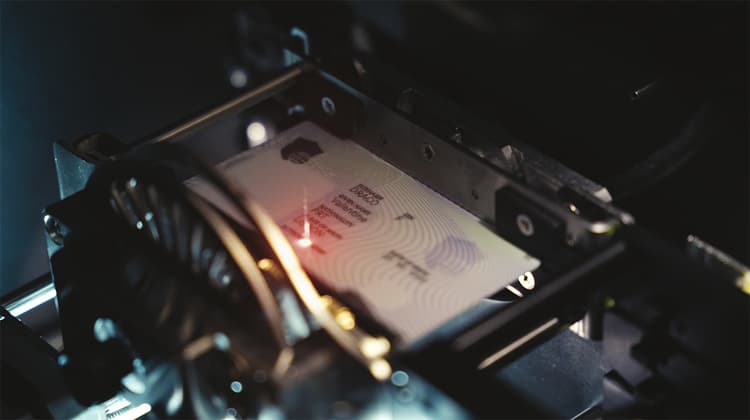
The core is a laser module. Its beam passes through the clear outer layer of a polycarbonate card and darkens a laser-sensitive layer inside. The portrait, the personal data and the machine-readable zone are written into the card body itself. Because nothing sits on the surface, the data cannot be scraped off or reprinted.
Around the laser module, a complete system usually adds a card feeder and output hopper, a chip encoder for contact and contactless chips, a flipping unit for engraving both sides, a vision system to position and check the card, and software that receives data from the issuing authority.
Some systems also combine laser engraving with colour printing, so the card carries a colour photo for recognition and a laser portrait for security.
Why Laser and Why on the Desktop
Laser instead of printing
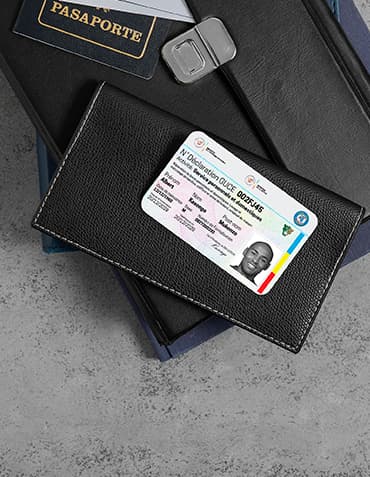
Printing places ink or dye on the surface. Laser engraving changes the material. That single difference is why polycarbonate cards with laser personalisation are the standard for national ID, residence permits and driving licences across Europe. Laser engraving also produces features printing cannot: tactile text, ghost images, window engraving and changeable or multiple laser images (CLI and MLI).
Lasers do not use ribbons or ink. Consumable costs per card are low, and there is no used ribbon carrying a negative image of personal data to dispose of securely.
Desktop instead of central
A central bureau is efficient at volume. It also means weeks of waiting, cards in the post and a single point of failure. Desktop systems let an authority issue cards where the citizen applies: in the town hall, at the consulate, in a temporary office after a disaster. When the card is ready while the applicant waits, there is no delivery to secure and no second visit. We compare both models in detail in our guide to centralised and decentralised issuance.
The Seven Things to Compare
1. Throughput that matches the site
Throughput is quoted in cards per hour and depends heavily on what is engraved and encoded. Published specifications for desktop units range from about 60 to 250 cards per hour, according to distributor data for systems from IXLA and Matica. These figures usually assume average card content and encoding done in parallel.
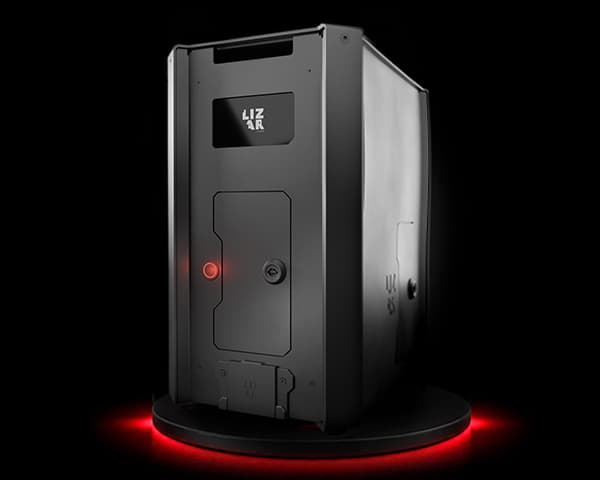
Be precise about your need. A consulate issuing 30 cards a day does not need 250 cards per hour. It needs a short time per card, because the applicant is standing at the counter. A regional office printing a backlog overnight needs a feeder and sustained speed. For just-in-time issuance, ask for the time from data received to card delivered, not only the hourly figure. LIZAR’s DRACO personalises a card in about 30 seconds.
2. Laser source and image quality
Most desktop systems use fibre lasers. What matters to you is the result: the grey-scale range of the portrait, the sharpness of microtext and the consistency from the first card of the day to the last.
Ask for test cards on your own card body. Laser settings depend on the polycarbonate supplier and the layer structure. A system that produces beautiful samples on the vendor’s card may need tuning on yours.
3. Security features it can produce
List the features your document design requires and check each one. Typical laser features include tactile engraving, a ghost image, engraving into a transparent window, edge engraving, and CLI or MLI. CLI and MLI need a card body prepared with a lens structure and a laser that can engrave through it at controlled angles.
If your design will evolve over the ten-year life of the programme, choose a system that can add features through software and settings, not only through new hardware.
4. Inline verification
Every system should confirm that the right data went onto the right card. The minimum is reading back the chip after encoding and checking the MRZ by optical character recognition.
Better systems inspect the whole card after engraving: portrait quality, position, contrast, missing characters, damaged areas. At volume, operators do not reliably catch a faint portrait or a shifted MRZ. Automated inspection does. LIZAR uses AI-based inspection to check each card and flag anomalies before it leaves the machine.
5. Security of the machine itself
A personalisation unit can produce genuine documents. It needs the same protection as a vault. Ask about individual operator authentication, role-based permissions, encrypted data transfer, tamper detection, full audit logs, control of blank card stock, and remote locking of a lost or stolen unit.
6. Fleet management
One machine is easy to manage. Fifty machines in fifty towns are not. You need a central view of every unit: status, job counts, errors, software versions and location. You need to push updates and configuration without sending a technician. LIZAR manages its machines through IGUAN MDM, which handles devices, users and deployment from one console.
7. Total cost over the programme
The purchase price is only part of the cost. Include consumables, spare parts, the service contract, software licences, training, card wastage and the cost of downtime. A machine that is out of service for a week in a small consulate stops issuance completely. Ask about the mean time between failures, remote diagnostics and the speed of replacement.
Comparison Checklist
- Time per card. What to ask: Data received to card delivered. Why it matters: Citizens wait at the counter.
- Sustained throughput. What to ask: Cards per hour with your layout and encoding. Why it matters: Backlogs and peak periods.
- Laser features. What to ask: Tactile, ghost image, window, CLI, MLI. Why it matters: Matches your document design.
- Card bodies. What to ask: Qualified polycarbonate suppliers. Why it matters: Avoids lock-in and tuning delays.
- Inline checks. What to ask: Chip read-back, MRZ OCR, full visual inspection. Why it matters: Stops errors before delivery.
- Machine security. What to ask: Roles, logs, tamper detection, remote lock. Why it matters: A stolen unit is a forgery factory.
- Fleet tools. What to ask: Central console, remote updates. Why it matters: Keeps 50 sites consistent.
- Origin and support. What to ask: Where it is built, who services it. Why it matters: Sovereignty and response time.
The Market in 2026
The desktop segment has consolidated. HID acquired the Italian manufacturer IXLA in November 2024 and placed it within its Secure Issuance business. Matica, Entrust and IN Groupe also offer desktop or compact laser systems.
For buyers, consolidation has two sides. Large groups offer broad portfolios and global service. Some authorities also want suppliers that are independent, European and able to adapt hardware and software to a specific programme. Both are valid. Decide which matters more to your project before you write the tender.
Desktop Laser Systems Beyond Government ID
Banking and payment cards
Banks use laser engraving for premium and metal cards and for in-branch issuance. A card ready during the visit improves activation and avoids mailing costs.
Corporate and critical infrastructure
Airports, ports, energy operators and defence sites issue high-security badges that must resist alteration. A desktop laser system lets the security office issue them on site.
Humanitarian and migration programmes
Refugee and residence documents are often issued in temporary locations. Here the desktop system must be portable, work offline for periods and be lockable from a distance. LIZAR is developing SMAUG, a portable LFP power unit, to run issuance equipment where the grid is unreliable.
Common Buying Mistakes
Buying on cards per hour alone. For counter issuance, the time per card and the reliability of the unit matter more.
Testing only on the vendor’s cards. Always qualify the system on your own card body.
Ignoring verification. Without inline inspection, errors reach citizens and every reissue costs time and trust.
Forgetting fleet management. Machines bought one by one, without a central console, become impossible to keep consistent.
Underestimating service. In a decentralised network, a quick swap of a failed unit matters more than a cheap service contract.
How to Run a Good Evaluation
Write down your document design, your card supplier and the features you need. Define the sites: volume per day, staff available, network quality and power supply. Ask shortlisted vendors to personalise a batch of your own cards, with your data layout, in front of your team. Check the cards under magnification and UV, then read the chips. Ask to see the management console with several units connected. Finally, ask each vendor for a reference you can call in a similar programme.
Frequently Asked Questions
What is a desktop laser engraving system for ID cards?
It is a compact machine that personalises polycarbonate cards by laser, writing the photo and personal data into the card body. It usually also encodes the chip and checks the result.
How many cards per hour can a desktop laser system produce?
Published figures for desktop units range from about 60 to 250 cards per hour, depending on the content engraved and the encoding. For counter issuance, the time per card matters more.
Can desktop systems produce CLI and MLI features?
Many can, provided the card body has the lens structure and the laser engraves through it at the right angles. Always test on your own card body.
Is laser engraving better than colour printing for ID cards?
For security, yes. Laser engraving changes the material inside the card, so the data cannot be removed or replaced. Many programmes combine a laser portrait with a colour image.
Do laser systems need ribbons or ink?
No. Laser engraving uses no ribbons or ink, which keeps consumable costs low and avoids disposing of ribbons carrying personal data.
How should a fleet of desktop systems be managed?
From a central console that shows the status of every unit, logs every job, pushes updates and can lock a lost or stolen machine remotely.
What should a tender for desktop laser systems include?
Your card body and design, the required laser features, time per card and throughput, inline verification, machine security, fleet management, service levels and origin of the hardware.
Related reading
- Secure ID cards
- CLI and MLI laser images
- Centralised vs decentralised issuance
- DRACO laser personalisation
Sources
Share this resource