Oct 28, 2026
Secure ID Cards: A Practical Guide to Materials, Security Features and Issuance
A secure ID card is a credential built so that forging it, altering it or using someone else’s is harder than the benefit of trying. No single feature achieves that. Security comes from layers: the card body, the way personal data is written into it, the chip, the visual features an inspector can check in seconds, and the process that controls who can issue a card at all.
This guide explains each layer, what it protects against and what to ask a supplier. It is written for ministries, civil registries, police and border agencies, banks and companies that issue their own credentials.
What a Secure ID Card Has to Resist
Before choosing features, it helps to name the attacks. Fraud against identity documents falls into four groups.
Counterfeiting is producing a fake card from scratch. It is defeated by materials and features that are hard to obtain or reproduce, such as special card bodies, holograms and laser-only effects.
Alteration is changing the data on a genuine card, usually the photo, name or date of birth. It is defeated by writing the data inside the card rather than on its surface.
Impostor use is presenting a genuine, unaltered card that belongs to someone else. It is defeated by a good-quality portrait, biometrics on the chip and checks at the point of use.
Fraudulently obtained documents are genuine cards issued on false information or by a corrupt insider. They are defeated by enrolment checks, access control and an audit trail on every issuance machine.
A card can be technically excellent and still fail if the last group is ignored. Issuance security matters as much as card security.
Layer 1: The Card Body
Polycarbonate
Polycarbonate is the reference material for government credentials. The card is made of several thin sheets fused together under heat and pressure into a single solid block. Once laminated, the layers cannot be separated without destroying the card. That is the main reason why it is so hard to alter.
Polycarbonate also lasts. According to Thales, more than 50 countries use it for driving licences, national ID or residence permits, and more than 30 national passport programmes use it for the data page. A ten-year validity is realistic.
PVC and composite cards
PVC is cheaper and easier to print on. It works well for corporate badges, student cards and many access control credentials. Its weakness is structure: layers bonded with adhesive can, with effort, be peeled apart. Composite cards mix PVC with PET or other polymers to improve durability.
For any card that proves identity to a third party, such as a national ID card, a residence permit or a driving licence, polycarbonate is the safer choice. For an internal badge used in one building, PVC is often enough.
- Structure. Polycarbonate: Fused, monolithic. PVC / composite: Laminated layers.
- Personalisation. Polycarbonate: Laser engraving inside the card. PVC / composite: Mostly printing on the surface.
- Typical life. Polycarbonate: Up to 10 years. PVC / composite: 2 to 5 years.
- Resistance to alteration. Polycarbonate: Very high. PVC / composite: Moderate.
- Typical use. Polycarbonate: National ID, residence permits, driving licences, passport data pages. PVC / composite: Corporate, student and access cards.
Layer 2: How the Personal Data Is Written
The personalisation method decides how easy it is to alter a genuine card.
Laser engraving
On polycarbonate, a laser beam passes through the clear outer layer and darkens a laser-sensitive inner layer. The photo, name, number and signature are written inside the card body. They cannot be scraped off or replaced with a new print. Any attempt to reach them damages the card visibly.
Laser engraving also enables features that printing cannot produce: tactile text that the inspector can feel, a ghost image, data engraved into a transparent window, and changeable or multiple laser images. We cover these in detail in our guide to CLI and MLI.
Printing
Dye sublimation and retransfer printers produce colour images on the surface or under an overlay. They are fast and affordable. They are also the method most exposed to alteration, because the image sits on top of the card body. Many programmes now combine both: a colour image for recognition and a laser-engraved portrait for security.
Layer 3: Visual Security Features
Visual features let a police officer, a bank clerk or a border guard check a card in a few seconds, without a reader. The best cards mix three levels.
Level 1 features can be checked with the naked eye: holograms or other diffractive features, a transparent window, a ghost image, tactile engraving, colour-shifting inks, CLI or MLI images.
Level 2 features need a simple tool, such as a UV lamp or a magnifier: UV fluorescent inks, microtext and fine guilloche patterns.
Level 3 features are forensic and checked in a laboratory: taggants, special fibres and material signatures.
A common mistake is to add many features that nobody is trained to check. A feature only protects the card if the people who inspect it know what to look for. Three well-known features beat ten obscure ones.
Layer 4: Chip, MRZ and Machine Checks
The machine-readable zone
The MRZ is the block of OCR text at the bottom of the card. It lets a reader extract the core data and check digits automatically. In the EU, Regulation (EU) 2019/1157 made the ID-1 format and an MRZ compliant with ICAO Document 9303 mandatory for national ID cards. Its rules continue under Regulation (EU) 2025/1208.
The chip
A contactless chip stores the holder’s data, a facial image and, in many programmes, fingerprints. The data is signed by the issuing state, so a reader can confirm that it has not been changed. Access to the chip is protected, and fingerprints sit behind an additional layer of access control.
The chip changes the security model. A forged card can look perfect and still fail the signature check. That is why inspection systems at borders and in banks rely more and more on reading the chip rather than looking at the card.
NFC validation on everyday devices
Most recent smartphones can read an ICAO-compliant chip through NFC. Banks, telecom operators and public services now use this for remote onboarding: the user holds the card to the phone, the app reads the chip and checks the state’s signature. A secure ID card is therefore also the trust anchor for digital services, including the European Digital Identity Wallet.
Layer 5: Secure Issuance
The best card in the world is weak if a blank card, or a machine that personalises it, can be stolen and used. Ask four questions about any issuance system.
Who can personalise a card? Operators should authenticate individually, with roles that limit what each person can do.
Is every card accounted for? Blank card stock should be counted in and out, with every spoiled card logged and destroyed.
Can a machine be disabled remotely? A stolen or lost unit should be locked from a central console.
Is the output checked? Automated inspection after personalisation catches misprints, wrong photos and data errors before a card reaches a citizen.
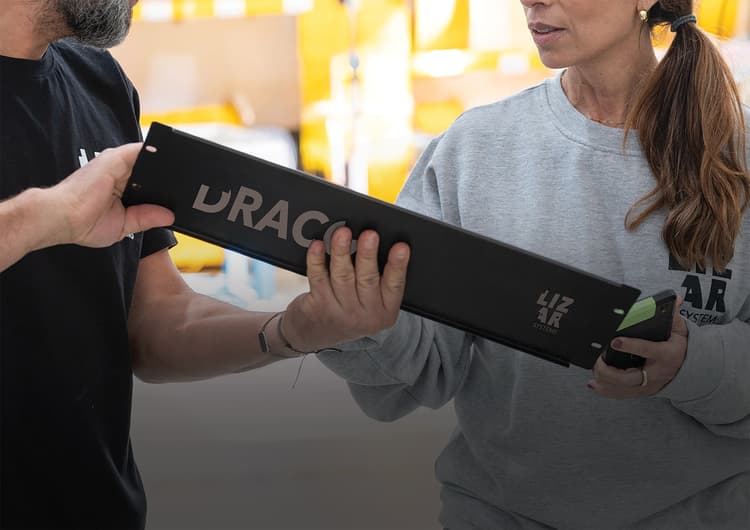
LIZAR’s DRACO laser personalisation system was designed around these questions. Each unit is managed from a central platform, and AI-based quality inspection checks every card after engraving.
Choosing Features by Credential Type
National ID card
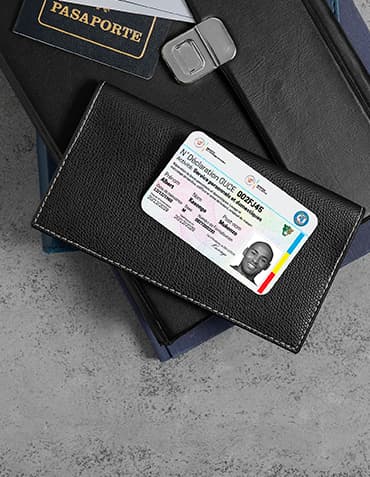
Polycarbonate, laser-engraved portrait and data, ICAO MRZ, contactless chip with signed data and fingerprints, a transparent window or ghost image, and a diffractive feature. In the EU, the format and the minimum features are set by regulation.
Residence permit and refugee or humanitarian ID
The same standard as a national ID, with extra attention to issuance. These programmes often run in temporary sites or camps, so mobile issuance, offline operation and remote locking matter.
Driving licence
Polycarbonate is now standard across Europe. Laser engraving, a ghost image and a chip are common. Durability matters, because a licence is used daily for years.
Corporate and access control card
PVC or composite is usually enough. The priority is controlled issuance, a clear portrait and the right access technology. Laser engraving makes sense for high-security sites such as airports, ports, energy plants and defence facilities.
Payment card
Payment cards follow EMV and scheme rules. Security sits mainly in the chip. Laser engraving and metal cards are used for premium products and in-branch issuance.
What to Ask a Supplier
Ask which security features the system can personalise, and whether CLI, MLI, tactile engraving and window engraving are supported on the card bodies you plan to use.
Ask how the system checks its own output. Visual inspection by an operator misses errors at volume. Automated inspection should check the portrait, the data and the MRZ on every card.
Ask how machines are managed. You need user roles, logs, remote locking and software updates under your control.
Ask where the hardware is designed and built, and who has access to your data. For a national programme, supply chain and data sovereignty are part of security.
Ask for real references and a demonstration with your own card body.
Common Mistakes
Choosing features before defining the threat. Start with who might attack the card and how.
Relying on the hologram alone. Holograms are valuable, but good imitations exist. Combine them with laser features that need the real card body.
Ignoring the inspector. If police and bank staff are not trained, level 1 features protect very little.
Securing the card but not the machine. An uncontrolled personalisation unit is a factory for genuine fakes.
Forgetting the chip. A card with an excellent visual design but no chip, or a chip nobody reads, leaves the strongest check unused.
Frequently Asked Questions
What makes an ID card secure?
A combination of a durable card body, personal data written inside the card by laser, visual features that can be checked in seconds, a signed chip and a controlled issuance process. No single feature is enough on its own.
Why are most national ID cards made of polycarbonate?
Polycarbonate layers fuse into one solid block, so the card cannot be split to alter the data. It also supports laser engraving and lasts up to ten years.
Is laser engraving more secure than printing?
Yes, for identity documents. Laser engraving writes the data inside the card body, so it cannot be removed or replaced without visible damage. Printing sits on the surface.
What is the MRZ on an ID card?
The machine-readable zone is the block of OCR text at the bottom of the card. It allows automatic reading and check-digit verification according to ICAO Document 9303.
Can a smartphone verify an ID card?
Yes. Most recent smartphones can read the chip of an ICAO-compliant card by NFC and confirm the issuing state’s digital signature.
What security features should a corporate ID card have?
A clear portrait, controlled issuance and the right access technology. Laser engraving and extra visual features are worth adding at high-security sites.
How can issuance itself be secured?
With individual operator logins, role-based permissions, stock control of blank cards, remote locking of machines and automated inspection of every personalised card.
Related reading
Sources
Share this resource